Hide menu bar on external display
Newer macOS operating systems
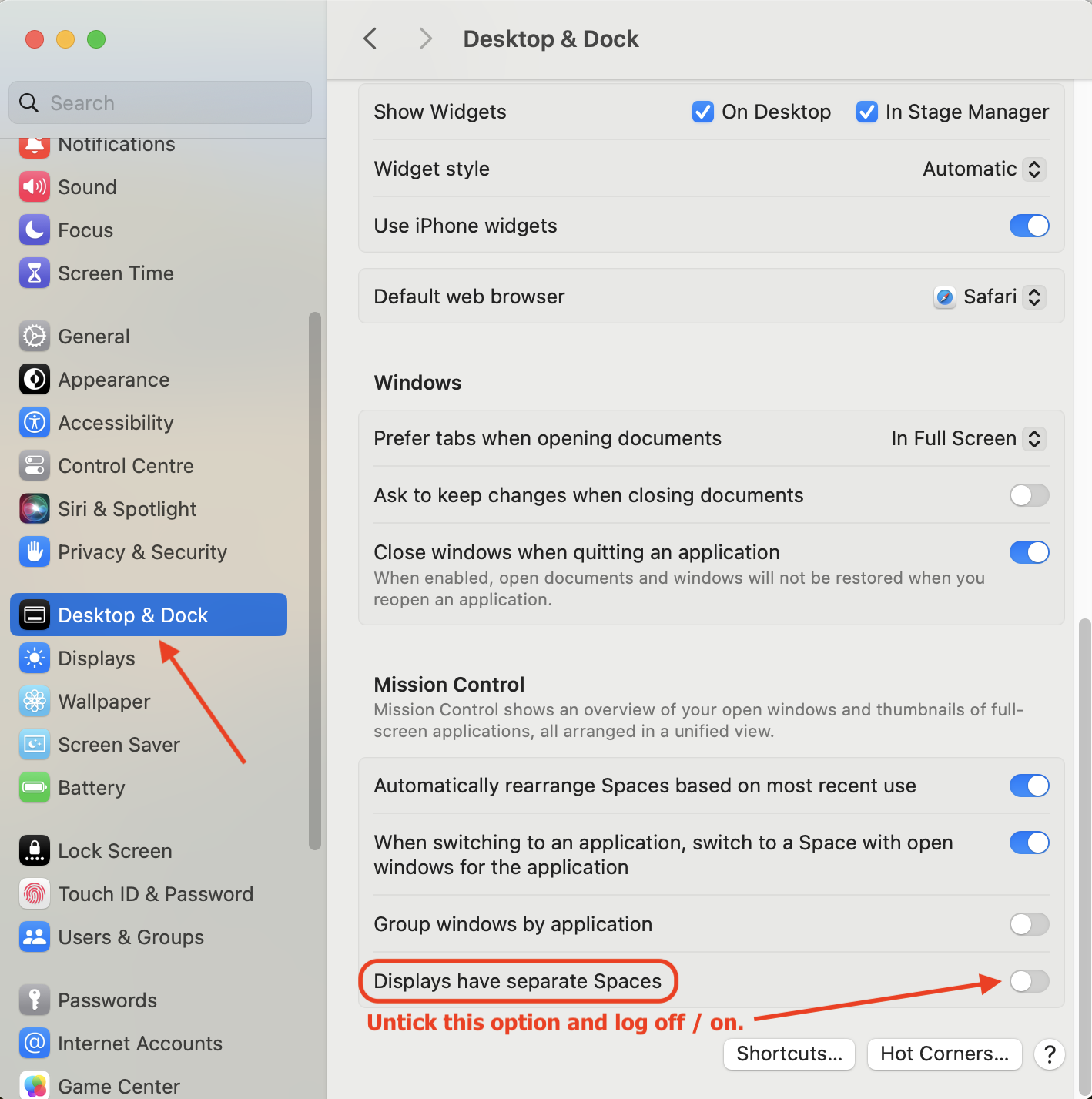
To hide menu bar on external display go to System Settings > Desktop & Dock, scroll down to Mission Control and untick Displays have separate Spaces option. Then log off and back on.
 |
.
.
Older macOS operating systems
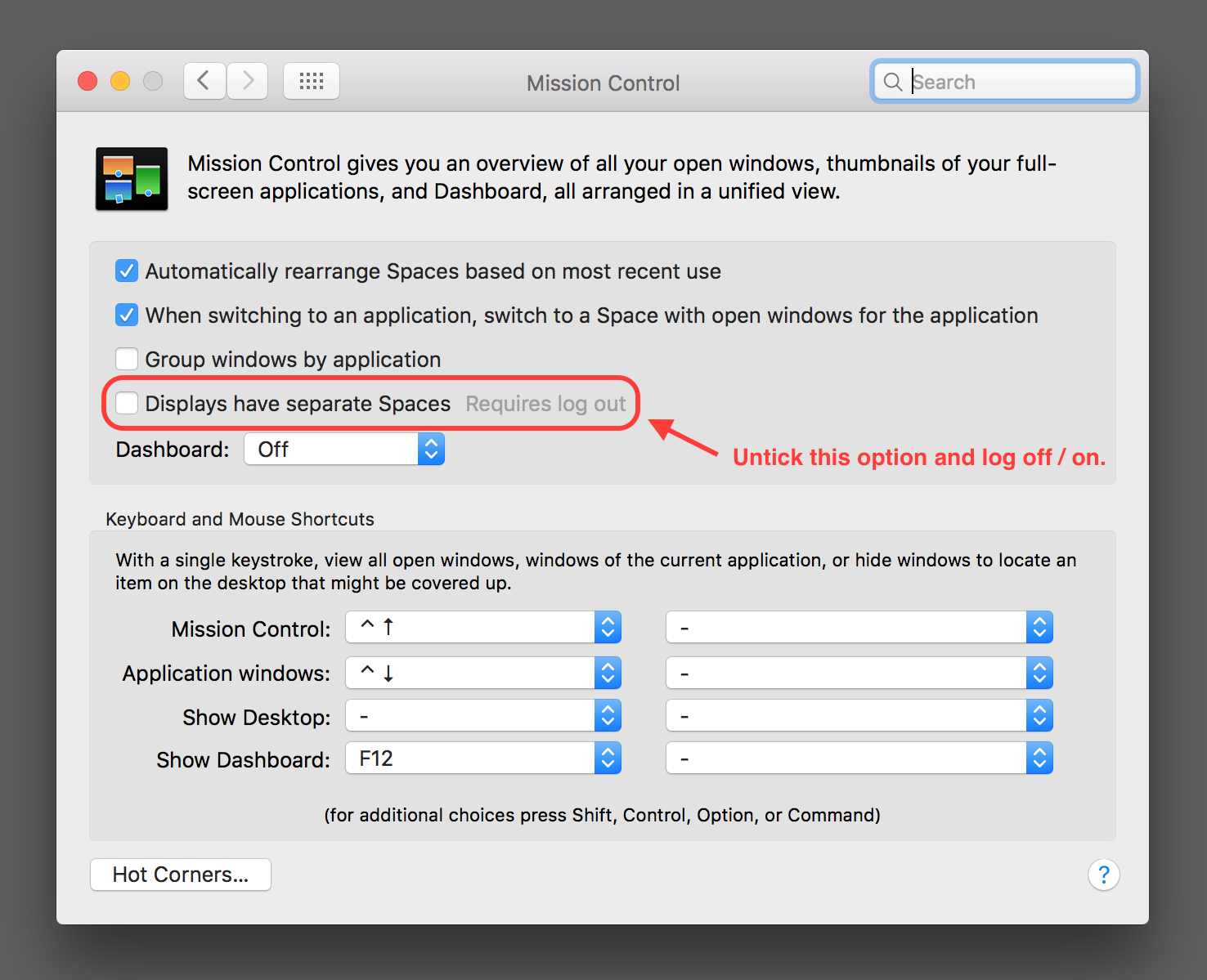
To hide menu bar on external display go to System Preferences > Mission Control and untick Displays have separate Spaces option. Then log off and back on.
 |
 |